Eternal question: Where is my peaceful bottega?#
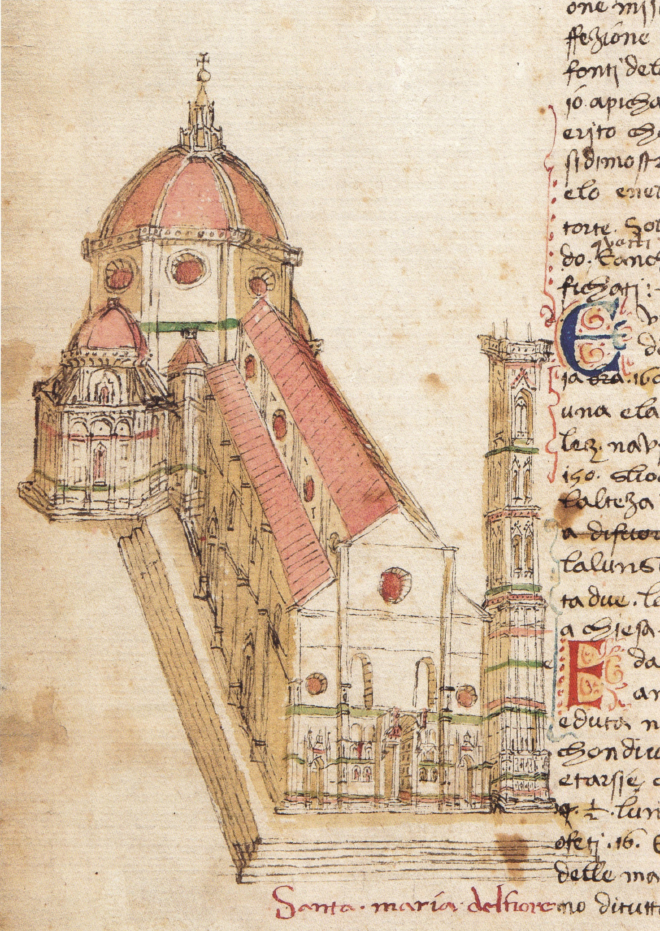
If I had my way, I would be working in a little 15th century Florentine bottega, carving and chipping away at my craft in blessed peace and good vibes. Having saltless bread and pasta for lunch. Tiny espressos. Admiring the Duomo. Ample time for my family. It would be solarpunk and sane and full of diversity.
Unfortunately, I am living in a different historical context. A quote I’ve been thinking about a lot:
“Might does not make right! Right makes right!”
- T.H. White, The Once and Future King
Today: Let’s pretend we’re in that bottega and do something just for the sheer pleasure of it. For the joy of tinkering and making things pretty and functional.
Moving from gnome-terminal to kitty#
Tbh, I have very simple desires re: a terminal app. I just want it to:
- Allow me to scroll back
- Allow me to search the
stdouthistory (ideally with ctrl+F, but I’ll take what I can get) - Allow me to copy+paste
- And then do all the normal command-line things I need to do:
sshbeing principle among them. - Have nice colors and be a bit transparent.
This is surprisingly hard to find! So far I’ve worked with:
- macOS’s Terminal app (well, years ago): Fine.
- gnome-terminal: Fine.
- alacritty: Fine, but characters weirdly got swallowed when I would ssh into my NAS. Annoying!
And now I’m trying kitty. kitty is by the same guy that built calibre, which is great software. It sells itself as being “GPU-accelerated”. I’ve never really noticed my terminal being so slow I need to use a GPU to make it go fast, but, well, okay. I basically needed something to play well with ssh + tmux + copypaste, and kitty has been: okay? I appreciate having an explicit config file.
Rapprochement with tmux#
This was motivated by thinking, repeatedly, that it’d be nice to have Claude/LLMs read my terminal output. Some folks at work shared their workflow of using multiple panes in tmux with Claude Code - and telling CC to look at the other panes. This is about as close to the “chat window sidebar” experience that I think I can get. I hate using IDEs, they feel so bloated, and getting a chat window in Neovim has also been a pain. Furthermore, even if I did get an LLM chat in my Neovim, I’d have to figure out the workflow to also work with the command line/zsh. Using multiple tmux panes - the left one keeping it as Claude Code, the right one as “everything else” (Neovim, zsh, etc) - has been great.
I even, in an effort to Keep Up With the Times™, or at least make a good faith effort to explore the vibe code hype, made a Claude Code “command” (aka, incantation) called /pair-programming-setup that launches the tmux pane, launches my work authentication flow, and so on. That is a handy helper indeed.
Colors#
I like pastels and neons, and picked the following:
- catppuccin/tmux - “frappe” theme
- dexpota/kitty-themes - “Grape” theme
Claude Code talking to itself#
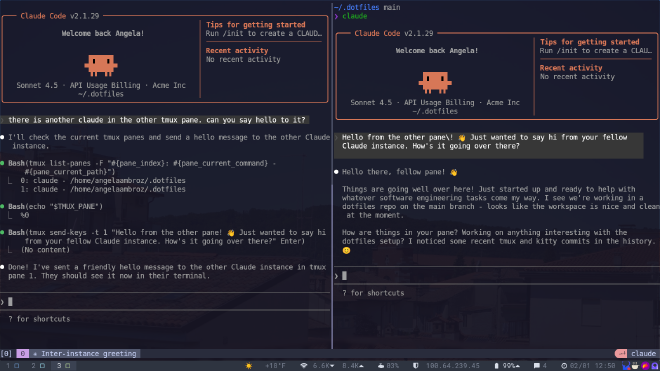
I guess everyone had the same idea this week: what if we made the agents talk to each other? Behold moltbook. Anyway, I’m planning to run a little experiment to see how quickly the LLM disentangles itself and degrades into gibberish. But, for now, I just amused myself by having the Claude Codes talk across tmux panes.